To point your domain nameservers to Hostlag, take the following steps;
- Login to your Hostlag client area. (You can do a password reset if you can't remember your password)
- Click on Domains
- Tick the checkbox beside the domain name that you want to update the nameservers
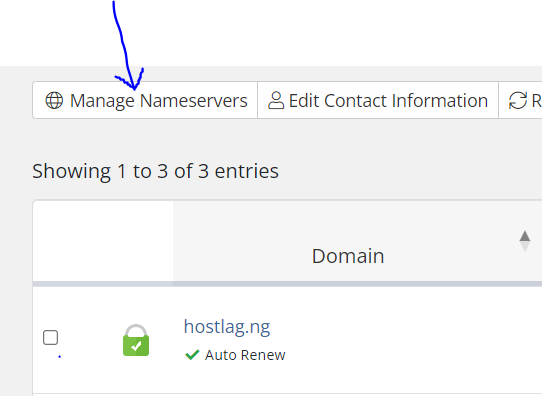
4. Click on Manage Nameservers above the domain name (As seen in the image above)
5. Enter the following nameservers in the box 1 and box 2.
NS1.HOSTLAG.COM
NS2.HOSTLAG.COM
6. Click on change nameservers.
And that is all.
If you have any concern or enquiries, do not hesitate to reach us via email at support@hostlag.com or via whatsapp on +2349139168118